
On this page
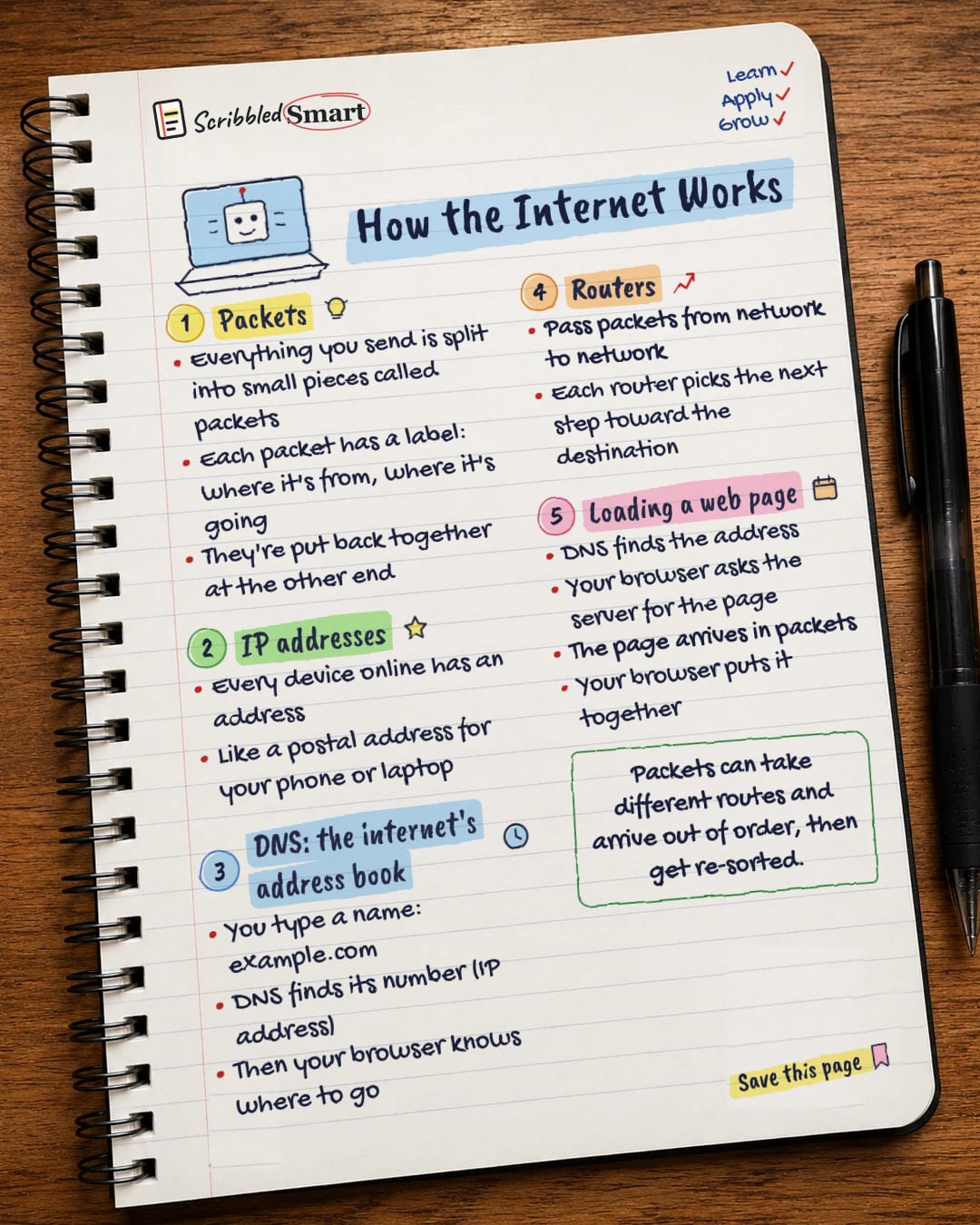
In one line, this is how the internet works: everything you send is split into small pieces called packets, each labelled with where it's going, and routers pass those packets from network to network until they arrive and are put back together. Four ideas cover the basics: packets, IP addresses, DNS and routers. Once you know them, you can follow what happens when you load a web page.
How does data travel across the internet?
Data doesn't travel across the internet in one big block. It's broken into small pieces called packets, whether it's a message, a photo or a web page.
Every packet has a label
Each packet carries a header, a small label with information about where it came from and where it's going. Cloudflare's explainer compares this to a letter, which has both an address and a return address on the envelope.
Put back together at the other end
When the packets reach their destination, they're reassembled in the right order using the information in their headers. Packets can take different routes and arrive out of order, but that's fine: the receiving device re-sorts them.
What is an IP address?
An IP address is a unique identifier for a device or website on the internet. ("IP" stands for Internet Protocol, the set of rules for addressing and sending packets.) It works a lot like a postal address for your phone or laptop: it tells the network where packets should be delivered.
There are two versions of IP address in use, known as IPv4 and IPv6.
What is DNS, the internet's address book?
DNS (the Domain Name System) translates website names into IP addresses. MDN, Mozilla's guide for web developers, compares it to an address book.
It's needed because people remember names, like example.com. Computers need numbers, the IP address. So when you type a website name:
- You type a name, such as example.com.
- DNS looks up the matching IP address.
- Your browser now knows where to send its request.
By the way, example.com is a real domain that's reserved for use in examples like this one. That's why it appears in guides like this one.
Routers: passing packets along
A router connects networks together and passes packets between them. When a packet arrives, the router reads its header and uses a routing table, a kind of map, to decide where to send it next.
No single router knows the whole journey. Each one simply picks the next step towards the destination, and the packet hops from router to router until it arrives.
Traffic between big networks
Routers connect networks of every size. Traffic between very large networks, called autonomous systems, is routed using a system called BGP (Border Gateway Protocol).
How the internet works when you load a web page
Loading a web page brings all four ideas together. Based on MDN's explanation, the steps go like this:
| Step | What happens |
|---|---|
| 1. DNS lookup | DNS finds the IP address for the website's name. |
| 2. Connection | Your browser connects to the server at that address. |
| 3. Request | Your browser asks the server for the page, using a set of rules called HTTP. |
| 4. Delivery | The server sends the page back, split into packets. |
| 5. Assembly | Your browser puts the packets together and shows you the page. |
Reliable delivery and security
A protocol called TCP takes care of reliable delivery, making sure the packets arrive and can be put back in order. Another protocol, UDP, is also used to send data across the internet.
When the web address starts with HTTPS, the conversation between your browser and the website is encrypted, meaning it's scrambled so others can't read it along the way.
Common misunderstandings
A few ideas that trip people up:
- ✗ "Data travels in one piece." It's split into packets, which may even take different routes.
- ✗ "The website's name is its address." The name is for people. DNS turns it into the IP address computers use.
- ✗ "One router handles the whole trip." Many routers each handle one step.
- ✓ Remember the order: find the address (DNS), ask for the page, receive the packets, put them together.
Many of the services you use every day, from email to photo storage, run on computers you reach this way. Our guide to what the cloud is explains how that works.
Related reading
- How AI chatbots work: another everyday technology broken down step by step.
- Updates and backups: two simple habits that keep your connected devices safe.
- How planes fly: if you like plain-English explainers of how things work.
Sources
- Cloudflare Learning: How does the Internet work?
- Cloudflare Learning: What is the Internet Protocol?
- Cloudflare Learning: What is a router?
- MDN Web Docs: How the web works
- MDN Web Docs: How does the Internet work?
How we checked this
Every fact in this article comes from the 5 sources listed above, checked against official or peer-reviewed sources where possible. AI tools help with drafting; a person checks every fact against the sources. How we research
- Published and checked
General info, simplified for beginners. Real networks involve more steps than shown here.
Spotted a mistake? Tell us and we'll fix it and log it on the corrections page.


