
On this page
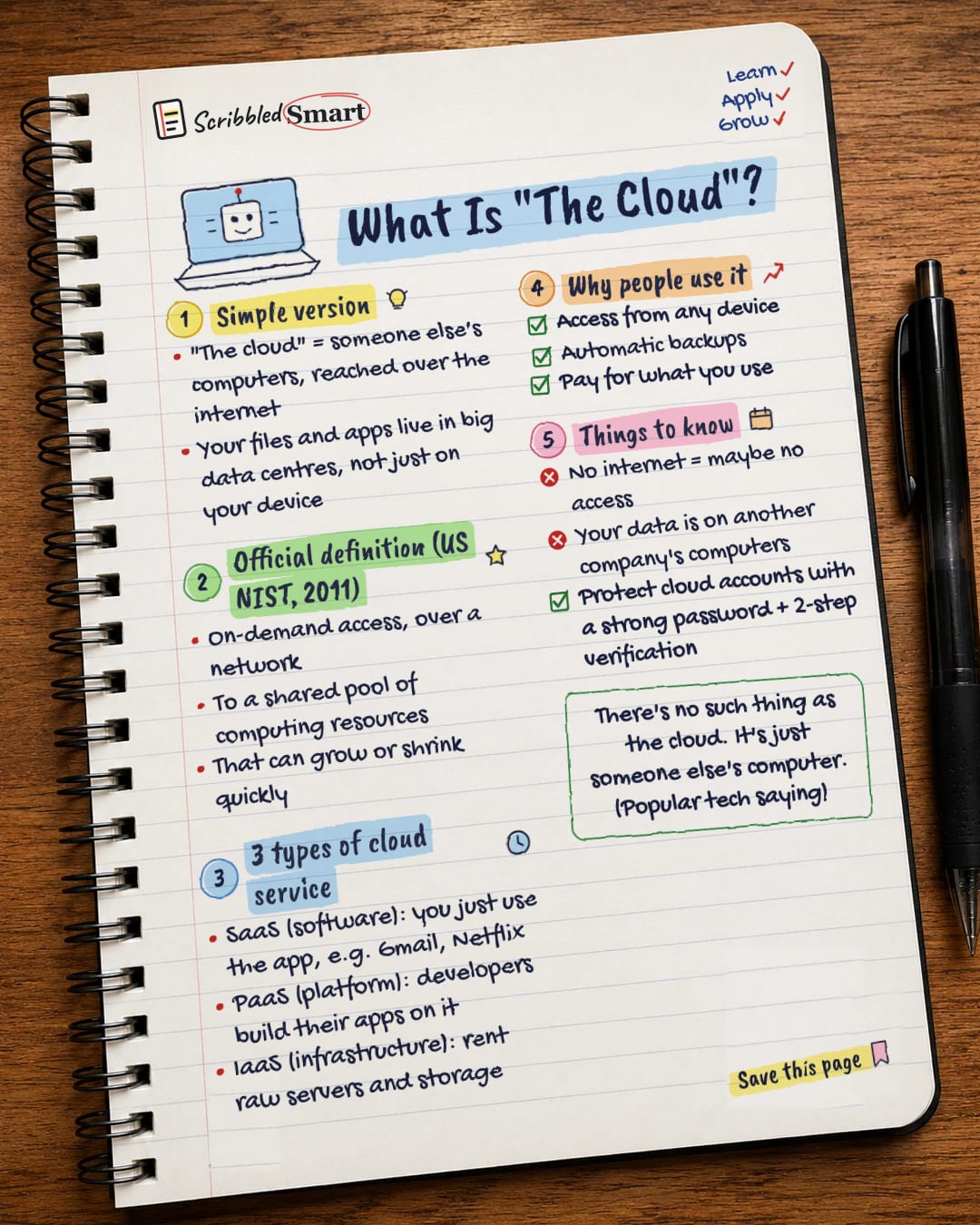
So, what is the cloud? It's someone else's computers that you reach over the internet: your files and apps are stored and run on a company's servers, not only on your own device. When you save photos to online storage or stream a film, you're using the cloud. This guide covers the simple version, the official definition, the three main types of cloud service, and what to watch out for.
What is the cloud? The simple version
The cloud is computing you use over the internet instead of on your own machine. Your files, emails or apps live on a provider's computers: their servers, storage and network equipment. You reach them through your phone, laptop or browser.
A popular tech saying sums it up: "There's no such thing as the cloud. It's just someone else's computer." Nobody is known to have said it first, so treat it as a saying, not a quote. It's a useful reminder that "the cloud" is real hardware somewhere, run by a company.
The official definition (US NIST, 2011)
A formal definition comes from NIST, the US National Institute of Standards and Technology. Its publication SP 800-145, "The NIST Definition of Cloud Computing", was written by Mell and Grance and published in September 2011.
It describes cloud computing as convenient, on-demand network access to a shared pool of configurable computing resources. That means you can get computing power or storage when you want it, over a network, from a pool that's shared with other users.
The five essential characteristics
NIST says cloud computing has five essential characteristics:
| NIST term | What it means in practice |
|---|---|
| On-demand self-service | You can set things up yourself, as needed, without contacting a person at the provider. |
| Broad network access | You can reach it over the network from many kinds of device. |
| Resource pooling | The provider's resources are shared between many customers. |
| Rapid elasticity | What you use can grow or shrink quickly. |
| Measured service | Use is measured, and typically charged on a pay-per-use basis. |
What are the 3 types of cloud service: SaaS, PaaS and IaaS?
NIST describes three service models. The difference between them is how much you control and how much the provider looks after.
SaaS: Software as a Service
With SaaS, you simply use the provider's app. NIST says the applications can be reached from various devices, for example through a web browser, and gives web-based email as an example. You don't manage the servers, storage or software underneath. Everyday examples include Gmail and Netflix.
PaaS: Platform as a Service
PaaS is for people who build software. NIST describes it as putting your own applications onto the provider's cloud, built using programming languages and tools the provider supports. You control your apps, but not the servers, operating systems or storage beneath them.
IaaS: Infrastructure as a Service
IaaS is renting the raw building blocks. NIST describes it as providing processing, storage, networks and other basic computing resources, where you can run any software you like, including operating systems. You manage what you install; the provider manages the physical machines.
| Type | You get | Who it's for |
|---|---|---|
| SaaS | A ready-made app | Everyone |
| PaaS | A place to build and run apps | Developers |
| IaaS | Raw computing, storage and networks | Technical teams |
Why people use the cloud
Three benefits stand out, and each links back to NIST's characteristics or to UK safety advice:
- ✓ Access from any device. This is NIST's "broad network access": sign in from your phone, laptop or a borrowed computer.
- ✓ Backups. The UK's National Cyber Security Centre (NCSC) suggests backing up your most important data, such as photos and key documents, to an external hard drive or cloud storage, so a lost phone doesn't mean lost photos. See our guide to updates and backups.
- ✓ Pay for what you use. This is NIST's "measured service". You're typically charged for how much you use.
Is the cloud safe to use?
The cloud is useful, but it comes with trade-offs worth understanding:
- ✗ No internet may mean no access. The cloud is reached over a network, so if you're offline, you may not be able to get to your files.
- ✗ Your data is on another company's computers. You're trusting the provider to look after it.
- ✓ Protect your cloud accounts. Use a strong password, such as three random words, and turn on two-step verification, as the NCSC advises. Since your files live online, your login is what protects them.
Related reading
- Strong passwords: the three random words rule for keeping cloud accounts locked.
- Two-step verification: the extra check that stops a stolen password getting into your cloud storage.
- How the internet works: what actually happens when you reach the cloud over the network.
Sources
- NIST SP 800-145: The NIST Definition of Cloud Computing (PDF)
- NIST CSRC: SP 800-145 publication page
- FedScoop: NIST defines cloud computing
- NCSC: Top tips for staying secure online
How we checked this
Every fact in this article comes from the 4 sources listed above, checked against official or peer-reviewed sources where possible. AI tools help with drafting; a person checks every fact against the sources. How we research
- Published and checked
General info. Each cloud provider has its own terms and security settings, so check them before you store anything important.
Spotted a mistake? Tell us and we'll fix it and log it on the corrections page.


