
On this page
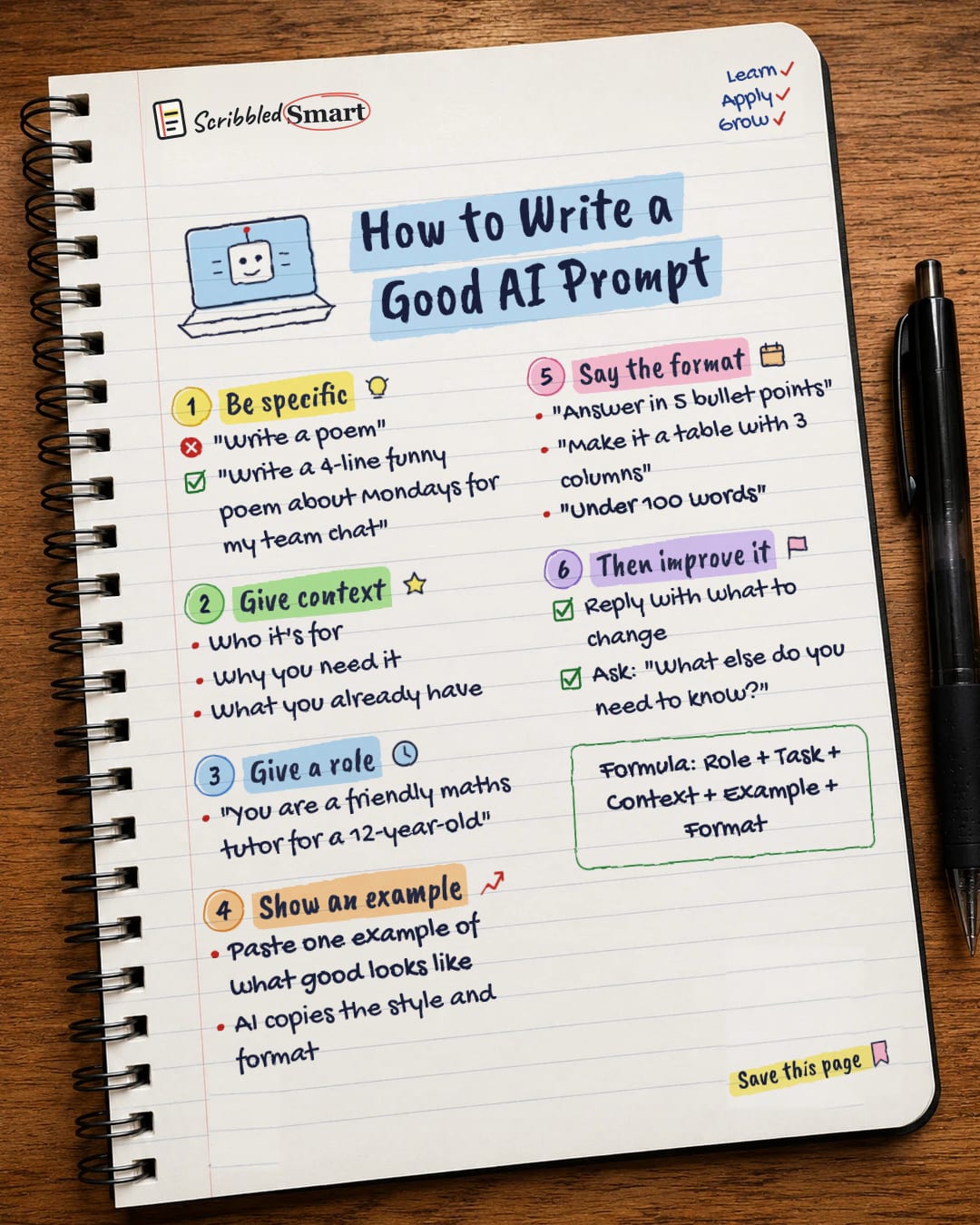
Knowing how to write a good AI prompt comes down to a few habits: say exactly what you want, explain who it's for and why, give the AI a role, show it an example, and tell it what format to answer in. Then improve the result by replying with changes. These steps come from the prompt guides published by the companies behind ChatGPT, Claude and Gemini, and you can use them today with no technical knowledge.
Why does your prompt matter?
A chatbot writes by predicting the most likely text that fits your request. The clearer the request, the better it can predict what you actually want. (If you're curious about the mechanics, see how AI chatbots work.)
OpenAI, Anthropic and Google all publish advice on writing prompts. Their guides differ in detail, but the core tips below appear across them.
How to write a good AI prompt: the six steps
The six steps are: be specific, give context, give a role, show an example, say the format, then improve it. You don't need all six every time. For a quick question, being specific may be enough. For anything you'll actually use, the more of them you include, the less the AI has to guess.
1. Be specific
Being specific means stating the length, style, audience and purpose you have in mind. OpenAI's guidance recommends being detailed about the context, the outcome you want, the length, the format and the style.
Compare these two:
| Vague | Specific |
|---|---|
| "Write a poem" | "Write a 4-line funny poem about Mondays for my team chat" |
The first leaves the AI to guess everything. The second tells it the length (4 lines), the tone (funny), the topic (Mondays) and where it's going (a team chat).
2. Give context
Context is the background the AI can't know unless you tell it. Useful context includes:
- Who it's for: your manager, a 10-year-old, customers who are new to the topic.
- Why you need it: a presentation, a birthday card, revision notes.
- What you already have: a draft, some notes, a list of points to include.
Google's Gemini guidance adds a tip for long inputs: when you paste in a long document, put that context first, then ask your question.
3. Give a role
A role tells the AI who to act as, which sets its tone and level. For example: "You are a friendly maths tutor for a 12-year-old." Anthropic's guide for Claude has a whole section on giving the model a role, and OpenAI's tools let developers set a role in what they call the system message.
A role works because it packs a lot of instructions into a few words. "Friendly", "tutor" and "12-year-old" together suggest simple language, patience and step-by-step explanations.
4. Show an example
Showing an example means pasting in one sample of what good looks like, so the AI can copy its style and format. Google's guidance says examples help control the format, phrasing and scope of the answer. Anthropic suggests using examples that are relevant to the task and varied.
If you want a product description in a certain voice, paste one you like. If you want notes in a certain layout, show one.
A caveat: OpenAI's guidance for its "reasoning" models says they often don't need examples, so try a prompt without one first and add examples only if needed. It also warns that examples which don't match your instructions can produce poor results. For these models, it advises being very specific about your end goal and spelling out any limits.
5. Say the format
Telling the AI the format means stating the shape of the answer you want. Both OpenAI and Google recommend spelling out output requirements. For example:
- "Answer in 5 bullet points."
- "Make it a table with 3 columns."
- "Keep it under 100 words."
6. Then improve it
Your first prompt is a starting point, not a final attempt. Reply with what to change: "shorter", "more formal", "add a line about the deadline". You can also ask the AI: "What else do you need to know?" This turns the chat into a back-and-forth.
What is the Role + Task + Context + Example + Format formula?
The five parts fit together into one simple formula you can reuse. This is our own summary of the vendor advice, not an official rule. Put together, it looks like this:
"You are a friendly maths tutor (role). Explain how to add fractions (task) to a 12-year-old who finds maths stressful and has a test on Friday (context). Here is an explanation style I like: … (example). Answer in 5 short steps, under 150 words (format)."
Tips and common mistakes
- ✓ Start simple, then add. Write a basic prompt, see what comes back, and add the missing pieces.
- ✓ Ask it to say if it's unsure. This helps you spot answers that need checking.
- ✗ Expecting mind-reading. If it matters to you, the AI needs to be told.
- ✗ Giving up after one try. The first answer is a starting point. Reply with what to change.
- ✗ Trusting the answer without checking. A well-written prompt gets a better answer, not a guaranteed true one.
Related reading
- Why AI makes things up: even a perfect prompt can get a confident wrong answer, and here's why.
- Email phrases that sound professional: handy wording to check and polish AI-drafted emails.
- How to write a cover letter: what a strong letter needs, so you can judge any AI draft.
Sources
- OpenAI Help: Best practices for prompt engineering with the OpenAI API
- OpenAI: Prompt engineering guide
- Anthropic: Prompting best practices
- Google: Gemini prompt design strategies
- OpenAI: Reasoning best practices
How we checked this
Every fact in this article comes from the 5 sources listed above, checked against official or peer-reviewed sources where possible. AI tools help with drafting; a person checks every fact against the sources. How we research
- Published and checked
- Next check
- Yearly (vendor guidance changes)
General info. AI companies update their guidance often, so check their own guides for the latest advice.
Spotted a mistake? Tell us and we'll fix it and log it on the corrections page.


