
On this page
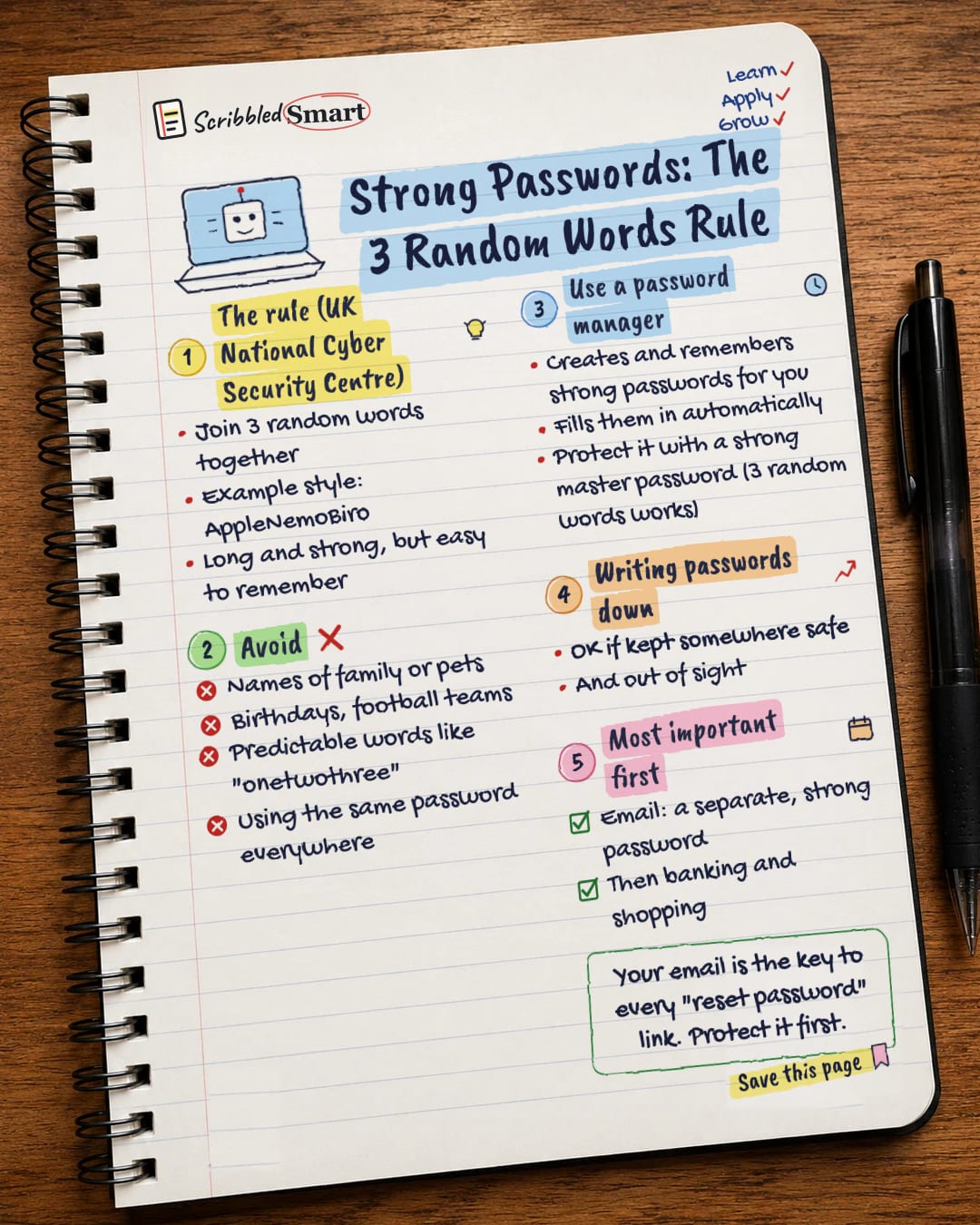
The easiest way to make a strong password is to join three random words together, such as AppleNemoBiro. This is the advice of the UK's National Cyber Security Centre (NCSC), the government's cyber security body. A password made this way is long and strong enough for most purposes, yet much easier to remember than a jumble of symbols. Below: how to pick your words, what to avoid, and which account to protect first.
What is the three random words rule? (UK NCSC)
The rule is simple: choose three words that have nothing to do with each other and put them together. The NCSC's own example is "applenemobiro". Our notebook page writes it as AppleNemoBiro, with capitals, to make it easier to read.
According to the NCSC, a password built from three random words is long enough and strong enough for most purposes. The real advantage is that you can actually remember it. The NCSC says the old advice to make passwords very complex isn't helpful, because people have too many passwords to remember complex ones.
Picking your words
Random is the key word. Three words that form a phrase, or that link to your life, are easier for someone else to guess. Aim for a mix that would never naturally appear together, the way an apple, a cartoon fish and a pen don't.
What if a site wants numbers or symbols?
Some websites insist on a number or a symbol. That's fine: adding them to your three random words won't weaken the idea. The words are still doing the main job.
What makes a password weak
A weak password is one that someone could guess from what they know or can find out about you. The NCSC warns against predictable choices like these:
- ✗ Names of family members or pets. People who know you could guess them.
- ✗ Birthdays and your favourite team. The NCSC lists significant dates and your favourite sports team. Same problem: personal and easy to find out.
- ✗ Predictable words, such as "onetwothree".
- ✗ Using the same password everywhere. If one site is breached, every account sharing that password is at risk.
Should you use a password manager?
A password manager is an app or tool that creates strong passwords, remembers them and fills them in for you automatically. The NCSC recommends using one, because it means every account can have its own strong password without you having to memorise them all.
Protect the master password
A password manager is locked with one main password, called the master password. This is the one password the manager can't store for you, so you need to remember it. It must be strong. Three random words works well here too.
Are password managers safe?
Yes, according to the NCSC. Its password advice calls password manager apps "a safe way to store passwords". Because one master password unlocks all the others, that is the one to make strongest of all.
Is it OK to write passwords down?
Yes, as long as you keep them safe. The NCSC says it's OK to write passwords down, provided you keep them somewhere safe and out of sight. A notebook in a drawer at home is very different from a sticky note on your laptop.
Two cautions from the NCSC: think about who can get to where you keep them, and check the service's terms first, because some online banking services forbid writing passwords down.
Which strong password to set up first
Start with your email. Your email account is the key to every "reset password" link: if someone gets into it, they can reset the passwords on many of your other accounts. That's why the NCSC advises giving your email a separate, strong password that you don't use anywhere else.
After email, move on to the accounts that hold your money and personal details:
- ✓ Email: a separate, strong password, used nowhere else.
- ✓ Banking: your next priority.
- ✓ Shopping: sites that store your card or address.
The NCSC lists email, banking, social media and online shopping as your most important accounts. For even more protection, add a second check to these accounts. Our guide to two-step verification shows how.
Tips and common mistakes
- ✓ Change any password you've reused, starting with your email.
- ✓ Let a password manager do the remembering, and keep its master password strong.
- ✗ Choosing words that tell your story. Your dog's name plus your street plus your team isn't random.
- ✗ Treating a small change as a new password. Adding a "2" to an old password is still reusing it, in spirit.
Related reading
- How to spot a scam message: the fake emails and texts designed to trick you into handing over passwords.
- Updates and backups: two more quick safety wins from the same NCSC advice.
- What is "the cloud"?: why your cloud accounts deserve strong passwords too.
Sources
- NCSC: Three random words
- NCSC: NCSC lifts lid on three random words password logic
- NCSC blog: Three random words or #thinkrandom
- NCSC infographic: Using passwords to protect your devices and data (PDF)
- NCSC: Managing your passwords
- NCSC: Activate 2-step verification on your email
How we checked this
Every fact in this article comes from the 6 sources listed above, checked against official or peer-reviewed sources where possible. AI tools help with drafting; a person checks every fact against the sources. How we research
- Published and checked
- Next check
- Yearly
General info, based on UK NCSC guidance. Follow any extra rules your bank, employer or service sets.
Spotted a mistake? Tell us and we'll fix it and log it on the corrections page.


