
On this page
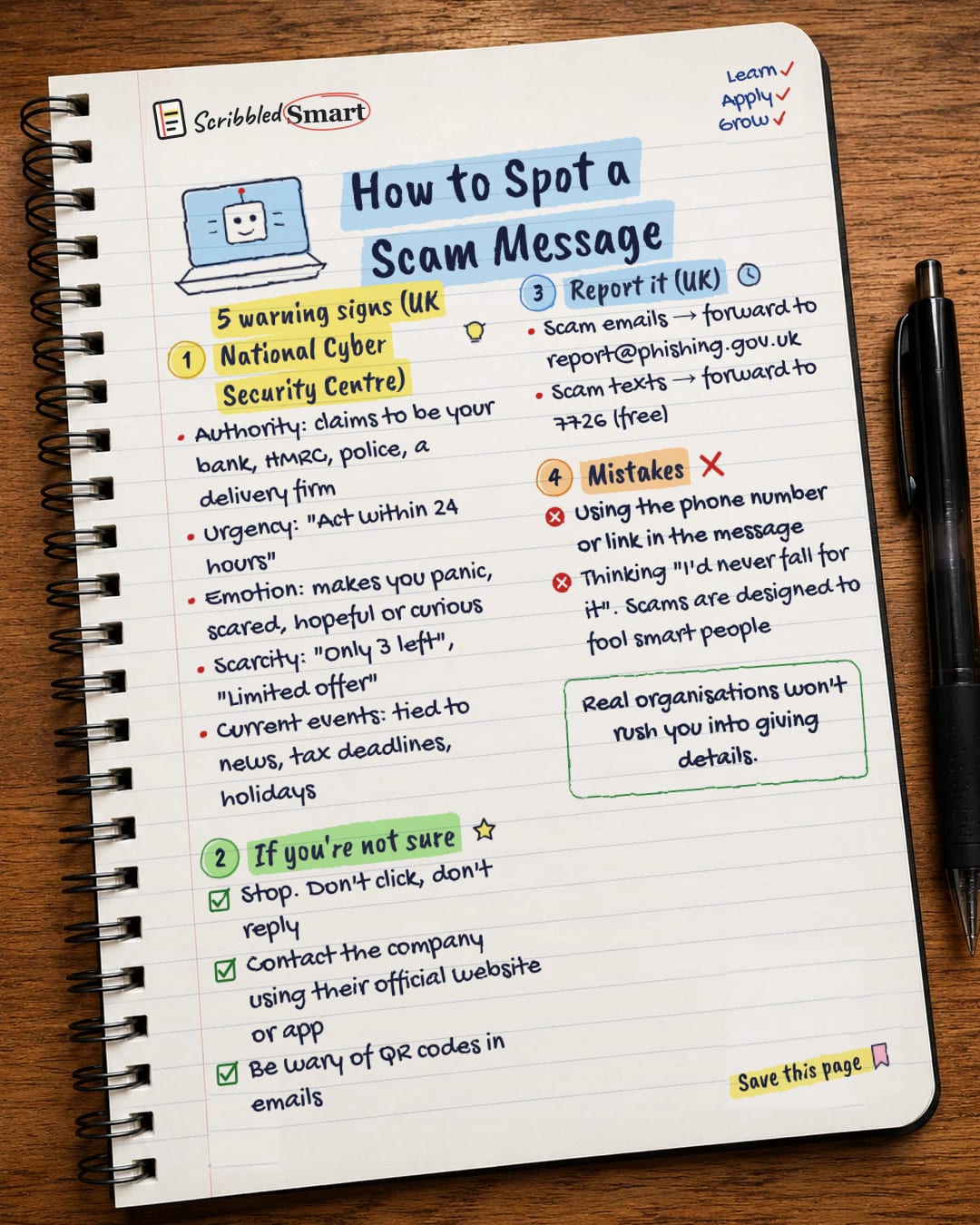
You can spot a scam message by watching for five warning signs named by the UK's National Cyber Security Centre (NCSC): authority, urgency, emotion, scarcity and current events. A message that pretends to be someone important, rushes you, plays on your feelings, says something is running out or ties itself to the news deserves a second look. This guide explains each sign, what to do if you're unsure, and how to report scams in the UK.
What are the UK NCSC's 5 warning signs of a scam message?
Scam messages work by putting pressure on you so you act before you think. The NCSC groups the tricks they use into five signs.
1. Authority
The message claims to come from someone official or important, such as your bank, HMRC (the UK tax authority), the police or a delivery firm. In the NCSC's words, criminals often pretend to be important people or organisations to trick you into doing what they want. The NCSC has reported on government-impersonation email scams it has taken down.
2. Urgency
You're told to act fast: "Act within 24 hours" or "Your account will be closed today". A deadline leaves less time to stop and check.
3. Emotion
The message tries to make you feel something strongly. The NCSC lists messages that make you panic, fearful, hopeful or curious. A scare about a problem with your account and a promise of a prize are two sides of the same trick.
4. Scarcity
Something is said to be in short supply: "Only 3 left", "Limited offer". The fear of missing out pushes you to decide quickly.
5. Current events
Scams often tie themselves to what's in the news or the time of year, such as tax deadlines or holidays. A message that fits what's already on your mind feels more believable.
What to do when you spot a scam message (or aren't sure)
If a message makes you hesitate, stop and don't act on it. The NCSC's advice is to stop, break the contact, and think about the language it uses.
- ✓ Don't click and don't reply. Leave the links, attachments and phone numbers alone.
- ✓ Contact the company yourself. Use its official website or app, which you find on your own, not the details in the message.
- ✓ Be wary of QR codes in emails. The NCSC specifically flags these. A QR code is just another kind of link.
Delivery texts are one example. The NCSC has published advice on scam "missed parcel" text messages and how to avoid the harmful software (malware) they can lead to. If you're expecting a parcel, check its status through the delivery company's own website or app.
Where do you report a scam message in the UK?
🇬🇧 UK only. The NCSC says reporting a suspicious text is free and only takes a minute, and that your phone provider can then investigate it and block or ban the sender. These are the two routes:
| What you received | Where to report it |
|---|---|
| A scam email | Forward it to report@phishing.gov.uk |
| A scam text message | Forward it to 7726 (free with most providers) |
Outside the UK? Report to your national fraud or cyber agency.
If you've lost money or shared details
🇬🇧 UK only. If you've already lost money, or think a fraudster has access to your account, tell your bank or payment provider as soon as possible. Contact them using a number you know is real, such as the one on their website or the back of your card, or call 159 to reach your bank.
Then report it:
- Report Fraud: report at reportfraud.police.uk or call 0300 123 2040. Report Fraud replaced Action Fraud as the national reporting service from 4 December 2025, and the phone number stayed the same.
- Scotland: fraud is reported to Police Scotland on 101 instead.
- In an emergency, call 999.
Common mistakes
- ✗ Using the phone number or link in the message. If the message is fake, so are its contact details. Look them up yourself.
- ✗ Thinking "I'd never fall for it". Scams are designed to fool smart people. They use psychological pressure, not obvious tricks, which is exactly what the five signs describe.
- ✗ Acting while you feel rushed. Urgency is one of the five signs, so a deadline is a reason to slow down and check. The NCSC also notes that your bank will never ask you to supply personal information by email.
The same signs show up in other scams too, including fake job offers. See our guide to how to spot a job scam.
Related reading
- AI voice clone scams: the phone call version, where scammers copy a loved one's voice.
- Two-step verification: an extra lock that protects your accounts even if a scam steals your password.
- Cognitive biases: the thinking traps that pressure tactics rely on.
Sources
- NCSC: Phishing scams, how to spot them
- NCSC: Report a scam text message
- NCSC: Top government email impersonation scams taken down in 2022
- NCSC: Scam missed parcel SMS messages, advice on avoiding malware (PDF)
- GOV.UK: Report Fraud, new service from City of London Police
- GOV.UK Stop! Think Fraud: Reporting fraud
How we checked this
Every fact in this article comes from the 6 sources listed above, checked against official or peer-reviewed sources where possible. AI tools help with drafting; a person checks every fact against the sources. How we research
- Published and checked
- Next check
- Yearly (reporting routes)
General info. Reporting routes are for the UK and can change, so check the official pages linked above.
Spotted a mistake? Tell us and we'll fix it and log it on the corrections page.


