
On this page
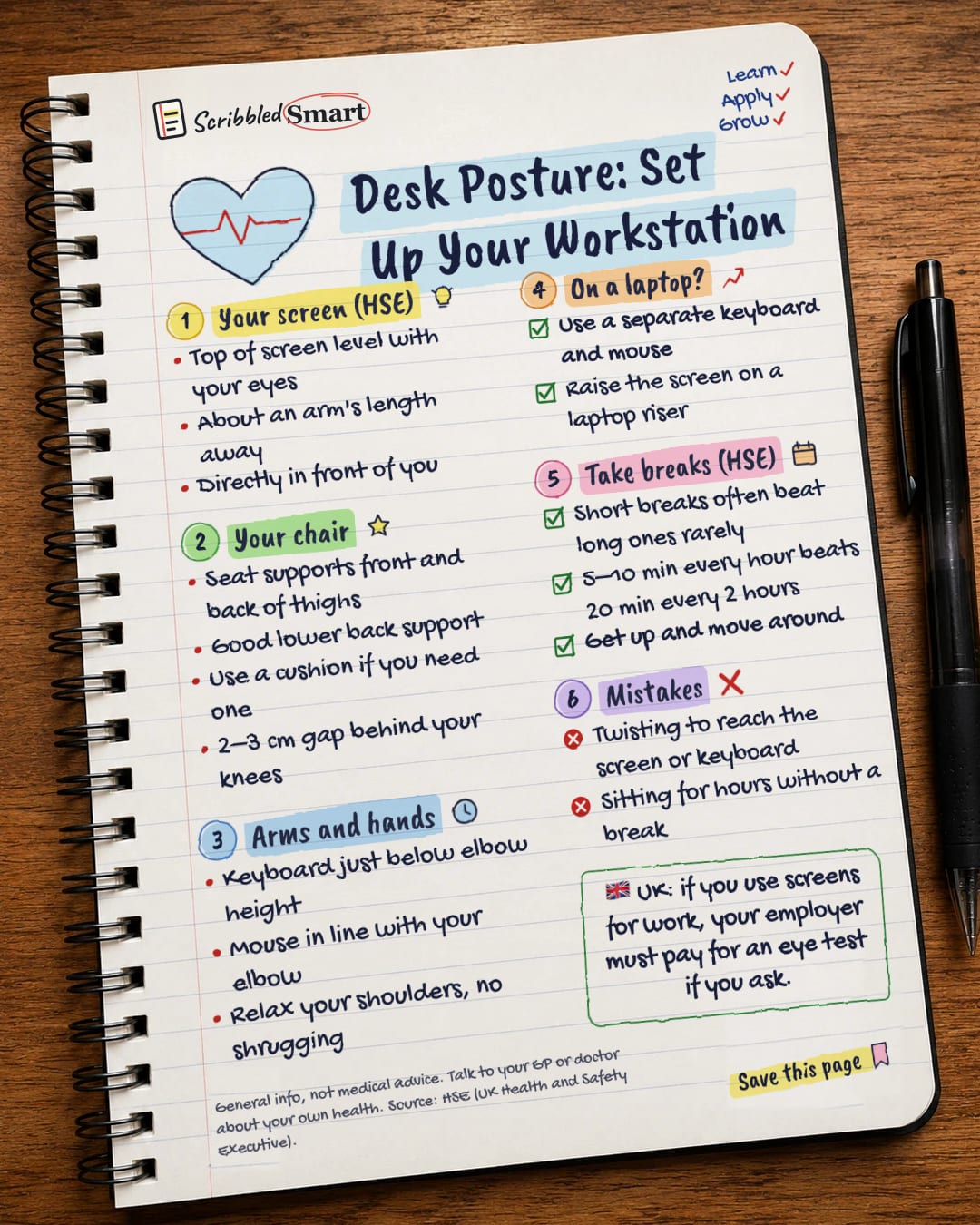
Good desk posture starts with your screen: the top should be level with your eyes, about an arm's length away and directly in front of you. Then set up your chair, keyboard and mouse so you can sit without twisting or shrugging. This guide follows the advice of the HSE, the UK's Health and Safety Executive, and covers laptops, breaks and your right to an eye test at work.
How high should your monitor be?
Put the top of your screen level with your eyes, about an arm's length away. That is the HSE's simple rule for the screen.
The screen and computer should also be directly in front of you on your desk. The HSE says to keep your screen and keyboard central so you don't twist your back.
Your chair: the base of good desk posture
Your chair should hold you, so you don't have to hold yourself. The HSE gives four checks:
- Seat height supports the front and back of your thighs. Use a cushion if you need one.
- The back of the seat gives good lower back support. Again, a cushion can help.
- A 2–3 cm gap between the front of the seat and the back of your knees.
- Sit high enough that you don't need to shrug your shoulders.
Arms and hands: keyboard and mouse
Your keyboard should sit just below elbow height, and your mouse in line with your elbow.
Relax your shoulders. If you find yourself shrugging to reach the keyboard, the HSE says to sit high enough that you don't need to.
| Part | Where it goes (HSE) |
|---|---|
| Top of screen | Level with your eyes |
| Screen distance | About an arm's length |
| Screen and keyboard | Central, directly in front of you |
| Keyboard | Just below elbow height |
| Mouse | In line with your elbow |
| Knees | 2–3 cm gap behind them |
How do you sit properly at a laptop?
On a laptop, the screen and keyboard are joined, so you can't put both in the right place at once. The HSE's fix is to use a separate keyboard and mouse, so the screen can be raised on a laptop riser.
That way, you can put the top of the screen at eye level and still keep the keyboard just below your elbows.
How often should you take a break from your desk?
Short breaks taken often are better than longer breaks taken less often. The HSE gives an example: 5 to 10 minutes every hour is better than 20 minutes every 2 hours.
Breaks should let you get up and move around. Sitting for hours without a break is the opposite of what the HSE advises.
There is no legal rule on exactly how long or how often screen breaks should be. The "5 to 10 minutes" figure is the HSE's example, not a legal limit.
What your employer should do
The HSE says employers must plan work so that screen users get breaks or changes of activity. Ideally, you choose when to take them.
If your work has no natural changes of activity, your employer should plan rest breaks. Break-monitoring software can remind you. The HSE also has a workstation checklist, called CK1, that employers can use.
Your right to an eye test (UK)
🇬🇧 In Great Britain, your employer must provide an eyesight test if you are a "DSE user" and you ask for one. DSE stands for display screen equipment, which means screens such as computers and laptops.
Who counts as a DSE user?
The HSE describes DSE users as workers who use screens daily, for continuous periods of an hour or more. The rules don't apply if you only use a screen now and then or for a short time.
This duty comes from the Health and Safety (Display Screen Equipment) Regulations 1992, which cover Great Britain. Northern Ireland has separate rules, which this article doesn't cover. Self-employed people are not covered in the same way.
Will my employer pay for glasses?
Only in some cases. Employers pay for glasses only if you need special glasses for the distance you view your screen at. If your ordinary prescription works fine for screen work, they don't have to pay.
The HSE also says screen work does not cause permanent damage to your eyes. But it can cause tired eyes, discomfort, temporary short-sightedness and headaches. Read more about how screens affect your eyes and the 20-20-20 rule.
Common desk posture mistakes
- Twisting to reach your screen or keyboard. Keep both central.
- Sitting for hours without a break. Get up and move around regularly.
- Using a laptop flat on the desk all day. Raise the screen and add a separate keyboard and mouse.
- Shrugging your shoulders because your chair is too low.
Good setup is about comfort while you work. It isn't a promise to fix or prevent back pain.
Related reading
- Micro-breaks at work: what the evidence says about short breaks.
- A beginner workout plan: how to add movement to your week and break up sitting.
- Your basic rights at work in the UK: more on what your employer must do.
Sources
- HSE: Working safely with display screen equipment, Good posture
- HSE: Work routine and breaks
- HSE: Eyes and eyesight testing
- HSE: Working safely with display screen equipment
How we checked this
Every fact in this article comes from the 4 sources listed above, checked against official or peer-reviewed sources where possible. AI tools help with drafting; a person checks every fact against the sources. How we research
- Published and checked
- Next check
- yearly
General info, not medical or legal advice. Talk to your GP or doctor about your own health. Source: HSE (UK Health and Safety Executive).
Spotted a mistake? Tell us and we'll fix it and log it on the corrections page.


