
On this page
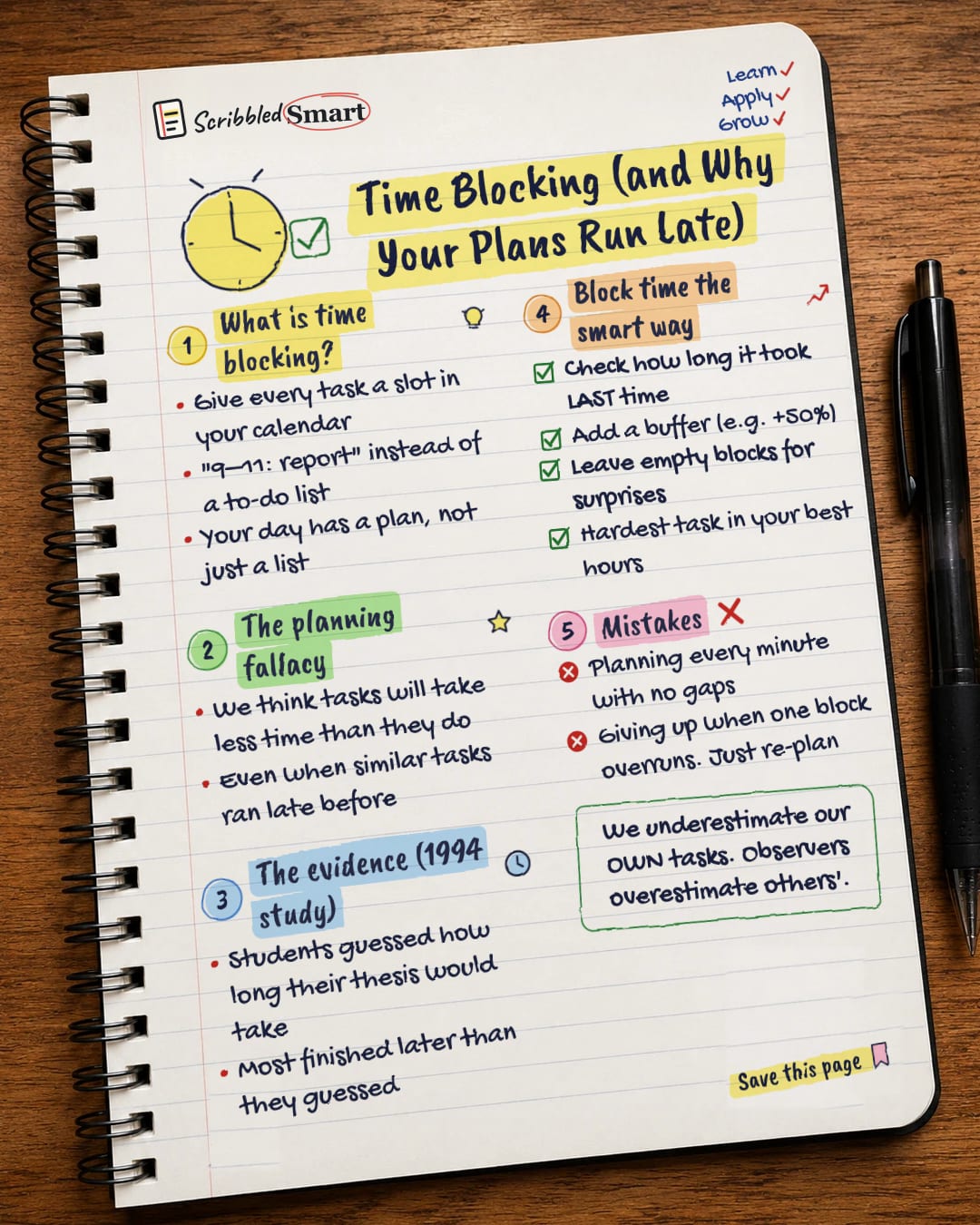
Time blocking means giving every task its own slot in your calendar, so "9–11: report" replaces a loose to-do list. It works best when you also understand the planning fallacy: our habit of thinking tasks will take less time than they really do. Here's how both work, what a well-known 1994 study found, and how to build a time-blocked day that survives contact with reality.
What is time blocking?
Time blocking is scheduling each task into a specific slot in your calendar. Instead of a list that says "report, emails, call Sam", your day says "9–11: report, 11–11:30: emails".
Writer Cal Newport describes the method on his blog and calls it time blocking. His Time-Block Planner has you fill in a grid each day with a plan that "gives every minute a job". The big change is that your day has a plan, not just a list. You decide in advance when each task will happen.
Our sources don't include a study of time blocking itself. The research below is about its main weakness: the planning fallacy.
Why do tasks always take longer than planned?
The planning fallacy is the tendency to underestimate how long a task will take, even when you know similar tasks ran late in the past. The term was coined by Kahneman and Tversky in 1979.
This matters for time blocking because a block is only as good as your guess. If you think a task takes one hour and it takes two, the rest of your day falls apart.
How far off are our time estimates? The 1994 thesis study
A 1994 study by Buehler, Griffin and Ross showed how big the gap can be. It was published in the Journal of Personality and Social Psychology.
Researchers asked 37 students to predict when they would finish their thesis. Then they checked what really happened.
| Days | |
|---|---|
| Students' average prediction | 33.9 |
| Students' average "worst case" guess | 48.6 |
| Actual average time taken | 55.5 |
Only about 30% of students finished within the time they predicted. Even their worst-case guesses were too short.
Why the students got it wrong
When the students talked through their predictions, they focused on the future steps of the task. They didn't think much about how long similar work had taken them before. That's the core mistake: we plan for how things should go, not how they usually go.
We're worse at judging our own tasks
The research also found that people are more biased about their own tasks than about other people's. You might guess well how long a friend's project will take, and still be too hopeful about yours.
How to time block the smart way
Good time blocking plans for the planning fallacy rather than ignoring it. These steps help:
- Check how long it took last time. This directly targets what the thesis students forgot to do.
- Add a buffer, for example +50%. This is a rule of thumb, not a research finding. In the 1994 study, the actual average was about 64% longer than predicted (55.5 ÷ 33.9 ≈ 1.64), so +50% is a modest cushion.
- Leave empty blocks for surprises. Unplanned tasks tend to turn up.
- Put your hardest task in your best hours. Use the time when you think most clearly for the work that needs it.
A sample time-blocked morning
| Time | Block |
|---|---|
| 9:00–10:30 | Hardest task (with buffer built in) |
| 10:30–11:00 | Empty block for overruns |
| 11:00–11:30 | Emails and messages in one batch |
| 11:30–12:30 | Second task |
Batching messages into one block also cuts down on switching, which our guide to the hidden cost of multitasking explains.
Time blocking mistakes to avoid
- Planning every minute with no gaps. One overrun then knocks out everything after it.
- Giving up when one block overruns. Just re-plan the rest of the day. Newport's planner makes the same point: if you get knocked off your schedule, you simply update it the next time you get a chance.
- Guessing from hope, not history. If last time took three hours, don't block one.
Related reading
- The Eisenhower Matrix: decide which important tasks deserve a block first.
- Deep work: protect 1–2 hour blocks for focused, demanding tasks.
- Cognitive biases: other thinking traps, like the planning fallacy, that shape decisions.
Sources
- Wikipedia: Planning fallacy
- Buehler, Griffin & Ross (1994): Exploring the planning fallacy (PDF) (the secure address shows a certificate error as of 16 November 2026: https://bear.warrington.ufl.edu/brenner/mar7588/Papers/buehler-et-al-1994.pdf)
- SPSP blog: Buehler on the planning fallacy
- Cal Newport: Deep habits, the importance of planning every minute of your work day
- Cal Newport: The Time-Block Planner
How we checked this
Every fact in this article comes from the 5 sources listed above, checked against official or peer-reviewed sources where possible. AI tools help with drafting; a person checks every fact against the sources. How we research
- Published and checked
Spotted a mistake? Tell us and we'll fix it and log it on the corrections page.


